
Choosing GNSS RTK Equipment: A Practical Buyer's Guide
How to evaluate price, support, software, durability, and compatibility before investing in a new GNSS receiver, RTK rover, or base station — without falling for hidden costs or locked ecosystems.
Why this decision matters
A GNSS receiver is not a one-time purchase. It is a multi-year operating cost made up of hardware, software licences, firmware updates, training, repairs, and the time crews spend in the field. Get the choice right and you have a tool that pays for itself in efficiency for the next five to seven years. Get it wrong and you are locked into expensive subscriptions, slow repair turnarounds, and proprietary workflows that limit who you can hire and what jobs you can take on.
This guide walks through the ten things that actually matter when evaluating RTK GNSS receivers, rovers, and base stations — written from the perspective of a Canadian dealer who has installed, supported, and repaired this equipment in the field. It covers what to ask before you buy, what hidden costs to watch for, and how to evaluate accuracy, software, and after-sales support in a way that protects your investment.
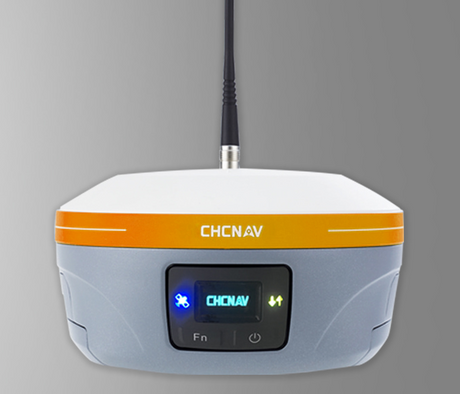
As an authorized CHCNAV dealer in Canada, Latnet Technologies sees what works and what doesn't across forestry, mining, construction, agriculture, and survey crews. We reference CHCNAV throughout this guide because that is what we sell and support, but the criteria here apply to any GNSS brand you might evaluate — Trimble, Leica, Topcon, Hemisphere, Septentrio, Emlid, or others.
1. Price & total cost of ownership

The sticker price on a GNSS receiver is the start of the conversation, not the end. Two receivers with the same advertised price can end up costing very different amounts over five years once you factor in feature unlocks, firmware updates, software licences, cloud storage, and training. Before you sign anything, get the supplier to write out what is included in the base price and what costs extra.
What to ask about pricing
Which GNSS constellations are unlocked?
Some receivers ship tracking only GPS and GLONASS by default. Galileo, BeiDou, QZSS, and NavIC may be locked behind a paid firmware upgrade. Limiting constellation access reduces position accuracy and time-to-fix, especially under dense canopy, in urban canyons, and at high latitudes where satellite geometry already suffers. Confirm that full multi-constellation tracking is included before you compare prices.
Are all frequencies enabled?
Modern receivers track L1, L2, L5, E5b, E6, B1, B2, B3, and others. Some manufacturers ship a receiver as L1/L2 only and charge to unlock the additional bands. Multi-frequency tracking is what gives you ionospheric correction, faster RTK initialization, and stable fixes under leaf cover. If it is locked, you are paying for hardware you cannot use.
Which software modules are included?
Field software almost always ships as a tiered product. Basic point collection is included; stakeout, road design, volume calculations, road and pipe stakeout, point clouds, GIS import, and coordinate transformations can each be a separate paid module. A "$X,000 receiver" that needs $2,000 of extra modules to do the work you actually do is not the bargain it looked like on the spec sheet.
CHCNAV's bundling approach: CHCNAV's RTK receivers ship with all four major constellations (GPS, GLONASS, Galileo, BeiDou) and all available frequencies enabled by default. Their LandStar 8 field software includes stakeout, coordinate transformations, terrain modelling, and cloud sync as part of the base package — not as paid add-ons.
2. Subscriptions, firmware & hidden fees

Recurring costs are where the real ownership math happens. A receiver that costs $1,500 less up front but requires a $400 annual software subscription, a $200 cloud storage fee, and $300 every two years to unlock new firmware features ends up costing more than the "expensive" alternative inside three years. Map this out before you buy.
The four common recurring costs
| Cost type | What it is | Watch for |
|---|---|---|
| Software licence renewals | Annual or multi-year licence on the field controller software | Whether your data is locked if the licence lapses |
| Firmware feature unlocks | Pay-to-enable upgrades for new signal types, constellations, or correction methods | "Future-proof" claims that quietly cost money to activate |
| Cloud & data services | Online storage, project sync, web-based reporting, RINEX archiving | Storage caps that force you onto a higher tier |
| Optional modules | Stakeout, road design, GIS, volume calcs, terrain modelling | Modules required for basic survey work but sold separately |
Read the fine print on firmware. Some manufacturers tie firmware updates to an active maintenance contract. Let the contract lapse and your receiver keeps working, but you stop getting bug fixes, new satellite support, and security patches. After five years that becomes a real problem when a new GNSS signal goes live and your hardware cannot decode it.
The ownership-cost question to ask any vendor: "If I buy this receiver today and do not pay you another dollar for five years, what features stop working and what features never get any updates?" The answer tells you everything you need to know about the pricing model.
3. Hardware durability & field reliability

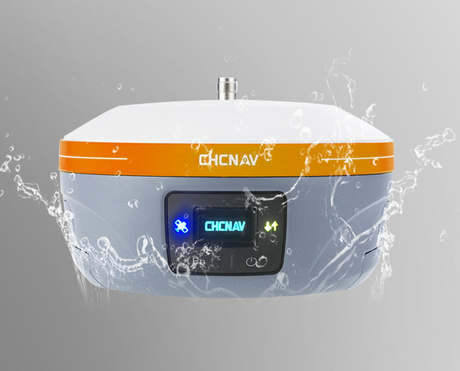
GNSS receivers spend their lives on tripods, range poles, the deck of a pickup, in mud, in the rain, and occasionally dropped on rocks. The build quality determines whether you replace yours every three years or every seven. Look past the marketing photos and check the actual environmental specifications.
The specs that actually matter
| Spec | What to look for | Why it matters |
|---|---|---|
| IP rating | IP67 minimum (dust-tight, immersion to 1 m) | Survives rain, mud, accidental drops in puddles |
| Operating temperature | −30 °C to +65 °C (Canadian field work goes well below −20 °C in winter) | Many "industrial" receivers shut down at −20 °C |
| Shock & drop | 2 m pole drop onto concrete, MIL-STD-810G if listed | Real-world abuse, not lab abuse |
| Battery life | Full day of work on a single charge, USB-C charging from any powerbank or vehicle | Built-in batteries you can top up from a cigarette lighter beat removable packs and proprietary chargers |
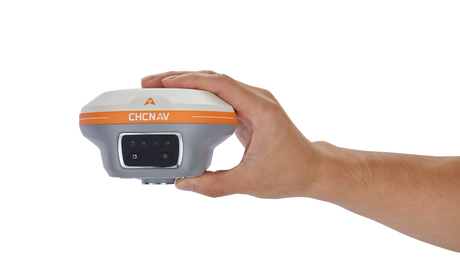
| Weight | Under 1 kg for a rover head | Crews carry these all day; weight compounds fatigue |
Canadian cold-weather reality
If you survey in Alberta, Saskatchewan, Manitoba, or anywhere north of 55°N, you will encounter air temperatures of −35 °C and battery temperatures considerably colder. Battery chemistry collapses below −20 °C in most lithium-ion packs. Manufacturers that quote "operating temperature down to −40 °C" without specifying battery performance are quoting the chip's rating, not the device's. Ask for cold-soak test data or borrow one from your dealer and try it in February before committing.
Local repair access
A receiver shipped to Asia or Europe for a board-level repair can be out of service for six to ten weeks. A receiver repaired locally is often back in your hands in one to two weeks. Before buying, ask:
- Is there a Canadian or North American repair centre?
- What is the typical turnaround time?
- Are loaner units available during repairs?
- What is covered under warranty vs billable repair?
4. Accuracy & performance in tough conditions

Every RTK receiver claims centimetre accuracy on its spec sheet. Under open sky with good geometry and a clean correction stream, that is true of essentially every survey-grade brand on the market. The real differentiator is what happens when conditions get hard — leaf cover, urban canyons, cold weather, multipath off buildings, weak base-rover links.
What to look for beyond the spec sheet
RTK fix time and re-acquisition
How quickly does the receiver achieve a fixed solution from a cold start? After signal loss under canopy, how fast does it re-fix? Good modern receivers should hit RTK fix within 3-5 seconds under open sky and re-fix within 1-2 seconds after a brief signal interruption. Slow re-acquisition kills productivity on every shot taken near trees or buildings.
Multipath rejection
Multipath is the signal bouncing off buildings, vehicles, water, or wet ground before reaching your antenna. It is the dominant accuracy killer in urban survey work and the reason two receivers can produce different coordinates from the same control point. Modern multi-frequency receivers with good antenna design and signal processing handle multipath well; older or budget receivers do not. If urban work is part of your business, ask for a test in an actual urban environment, not a parking lot.
Performance under canopy
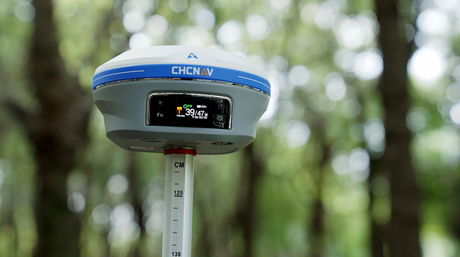
Forestry, ROW survey, and pipeline work means working under varying degrees of tree cover. Look for receivers with strong L5/E5/B2a tracking — these third-frequency signals penetrate leaves much better than L1/L2. Tilt compensation also helps here: it lets you offset the pole to find an open sky window without disturbing the survey point.
Tilt compensation (IMU-aided RTK)
Tilt compensation uses an internal IMU to let the rover pole be held off-vertical and still produce an accurate ground-truth coordinate. It saves time on every point (no more painstaking bubble levelling) and lets you measure corners and offsets you previously could not. Make sure it works without calibration walks or "shake-to-initialize" procedures — those are first-generation features and they slow crews down.
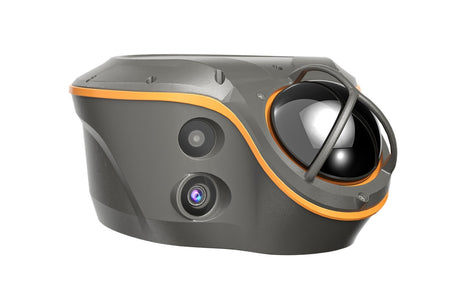
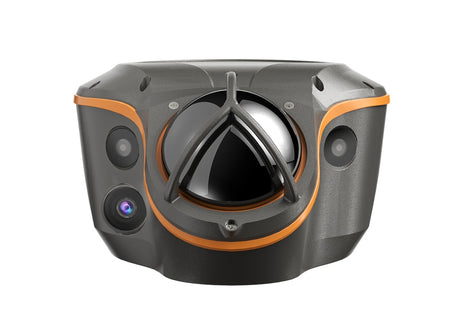
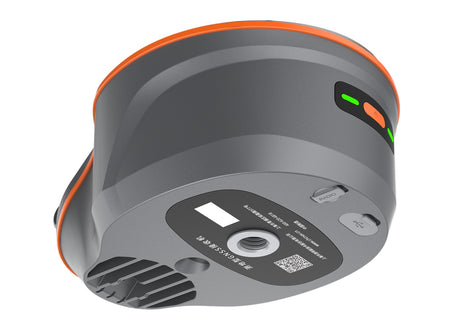
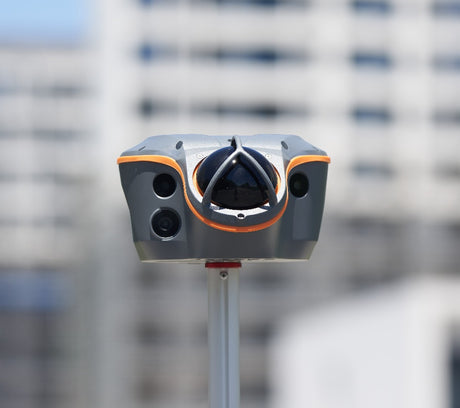
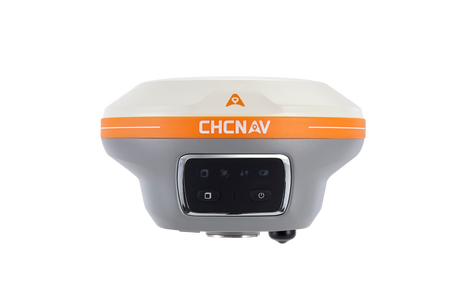
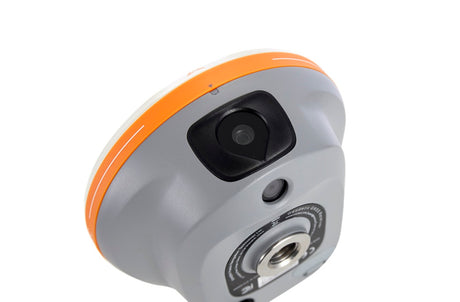
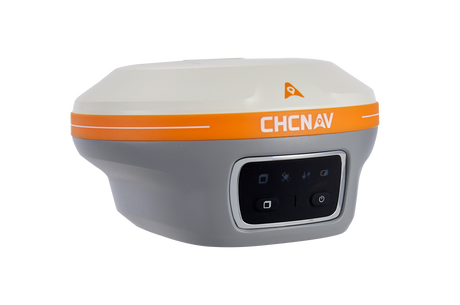
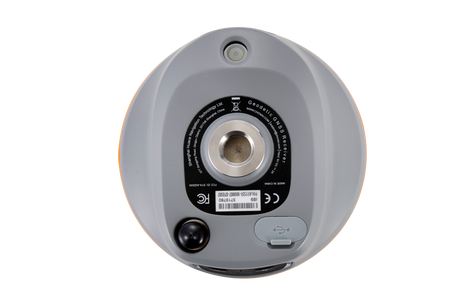
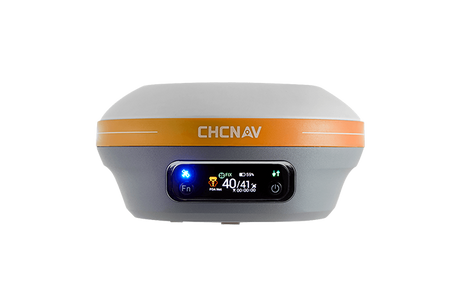
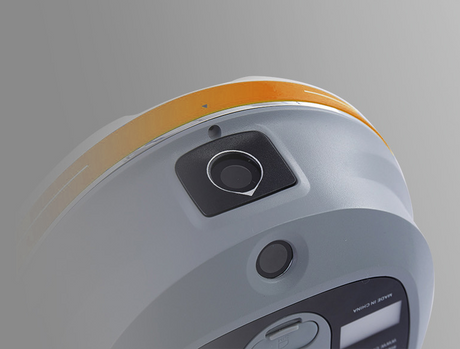
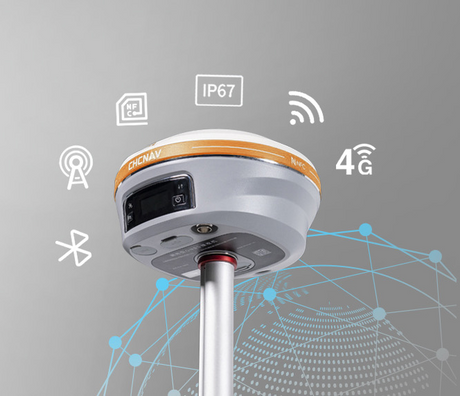
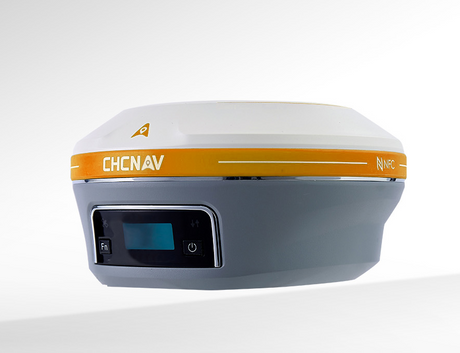
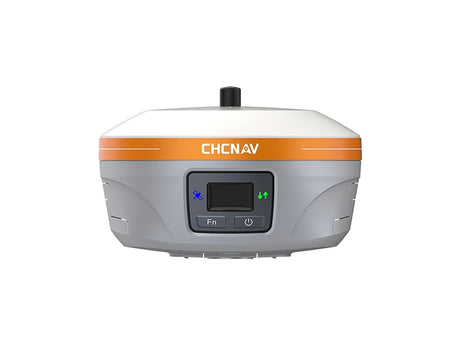
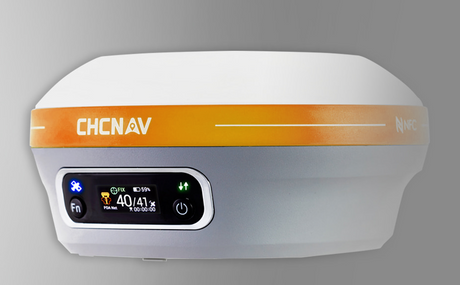
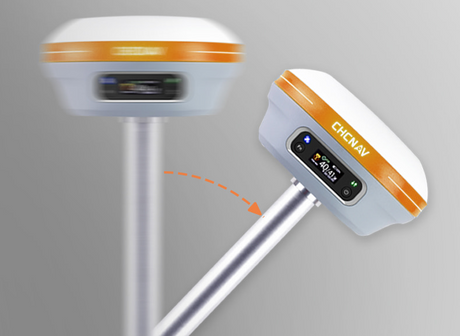
CHCNAV's track record: The CHCNAV i85, released in 2026 on a new-generation 1,892-channel OEM board, uses the iStar GNSS engine and reports a 96% fix reliability with 20% improved data quality over the previous platform. It pairs a calibration-free 200 Hz IMU with an integrated green-laser rangefinder and dual 2 MP / 8 MP cameras for visual stakeout and remote point capture — useful for forestry, ROW, and municipal crews working in obstructed terrain. The same receiver supports PointSky for centimetre-level work without a base station or NTRIP feed. As always, verify any claim by testing the receiver on your own ground before committing.
5. Software usability & capabilities

The receiver is the easy part. Software is what crews touch every minute of the workday, and it is where the difference between a productive crew and a frustrated one usually shows up. Slow software, confusing menus, missing data formats, and unreliable cloud sync all bleed billable hours.
What good GNSS field software looks like
- Cold-start to first shot in under two minutes. Open app, connect to receiver, start logging. Anything more is a sign of menu bloat.
- Coordinate systems handled correctly out of the box. NAD83(CSRS), provincial epochs, UTM/3TM/10TM zones, CGVD2013/CGVD28 heights with the right geoid model. If you have to manually configure transformation parameters, the software is built for a generic global audience, not for Canada.
- Stakeout that actually works. Visual stakeout with a clear bullseye, audio cues at design tolerance, point storage that does not require three menu taps.
- Import / export in everyone else's formats. JXL (Trimble), LOK / GSI (Leica), FCL (Carlson), SHP (Esri), DXF (CAD), CSV. If you can only round-trip files inside the vendor's own ecosystem, you will lose jobs to crews who can.
- Cloud sync that doesn't lock you in. The vendor's own cloud is fine for project sync, but you should also be able to push raw data to a neutral destination like Google Drive. Field software that only exports to its own cloud is a soft form of vendor lock-in — your data should be yours.
- Offline maps and orthos. Drop a tiled orthophoto or topo map onto the field tablet so the operator knows what they are looking at.
Android vs Windows controllers
Most modern field software runs on Android tablets and rugged smartphones; some legacy software is still Windows-only. Android controllers are typically lighter, cheaper to replace, and have better battery life. Windows controllers run heavier software (CAD packages, machine control tools) and may be required if you integrate with older office software. Pick the platform based on what your software actually needs, not on which one feels familiar.
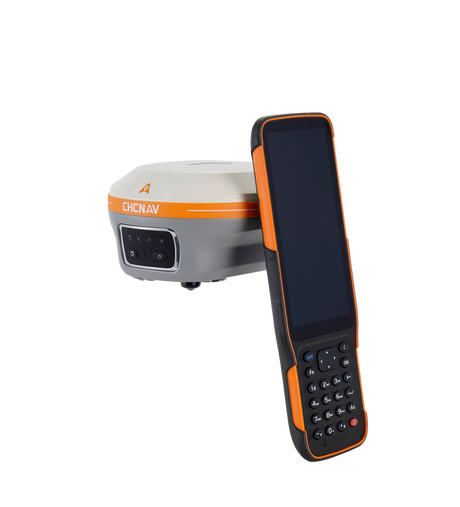
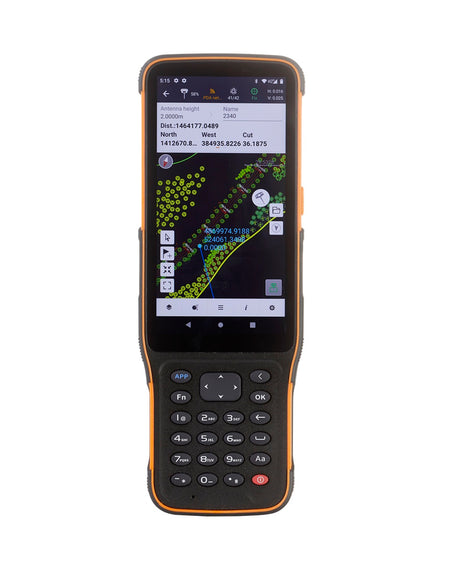
CHCNAV LandStar 8 is built on Android and imports/exports the major formats crews actually deal with: Trimble JXL, Carlson LOK and FCL, Esri SHP, DXF, and CSV. Cloud sync is included with the receiver — no separate subscription — and LandStar lets you choose between CHCNAV's own cloud or Google Drive as the destination, so you're not stuck inside the vendor's ecosystem. The visual stakeout interface with bubble level and audio cues is one of the things crews mention most often after switching.
6. Compatibility & open integration

The GNSS market has two kinds of vendors: those that build closed ecosystems and those that build on open standards. Closed ecosystems force you to buy everything from one brand — base, rover, controller, software, cloud service — and make it expensive to switch later. Open systems let you mix brands, use third-party correction networks, and exchange data freely with clients and partners.
The interoperability checklist
RTCM 3 correction format support
RTCM 3.2 / 3.3 with MSM (Multiple Signal Messages) is the universal standard for RTK corrections. Any modern receiver should support it as both a base output and a rover input. Older formats like CMR+ are still used in Trimble-dominated environments; NTRIP is the standard for streaming corrections over IP. If a receiver supports RTCM 3 MSM4/MSM5/MSM7 and NTRIP, it will work with essentially every CORS network and base station in Canada.
Mix-and-match base and rover
A good receiver can act as a base for a different-brand rover and vice versa, as long as both speak RTCM 3 over a common transport (UHF radio or NTRIP). This matters when you are on a multi-crew job and need to share corrections, or when you want to upgrade a rover without replacing your base.
CORS network compatibility
Canadian crews have a few real-time correction options to pick from. Latnet operates its own RTK correction network covering parts of Alberta with coverage expanding in every direction, delivered over NTRIP in standard RTCM 3 MSM. There are also commercial networks like SmartNet (Hexagon/Leica) and CanNet (Cansel/Trimble) available in some regions. (Federal services like NRCan's CSRS-PPP are useful for post-processed work but are not RTK networks — they deliver precise orbit and clock corrections for PPP convergence, not real-time RTK fixes.) Confirm that your receiver supports NTRIP authentication and the specific RTCM message types each network broadcasts. Most modern receivers do, but it is worth verifying for the specific network you plan to use.
Future-proofing for new signals
GNSS is still evolving. BeiDou-3 PPP service, Galileo HAS (High Accuracy Service), and GPS L1C are all relatively recent additions. A receiver with firmware-upgradeable signal processing can track these as they come online; a receiver hard-coded to a fixed signal set cannot. Ask whether new signals require a hardware change or just a firmware update.
CHCNAV supports RTCM 3.2, CMR+, and NTRIP, so its receivers can pair with Trimble, Leica, Topcon, and Hemisphere base stations or be used on any standard CORS network. The receivers are also field-upgradeable for new signals as they come online — no hardware change required.
7. Technical support — global and local

Equipment will break, firmware will glitch, and your most experienced operator will be in the field at 7 AM with a rover that will not fix. Support is what determines whether that costs you an hour or a week. Two layers matter here: the manufacturer's global support network and the dealer's local support presence.
What to evaluate
Local dealer responsiveness
A dealer who knows your name, has serviced your equipment, and can pick up the phone on a Tuesday morning is worth more than a generic 1-800 line in another time zone. Ask the dealer for references from existing customers. Ask how long it takes to get a callback. Ask whether they will come out for an on-site setup or troubleshooting visit.
Manufacturer-level technical depth
Some problems are beyond what a dealer can solve — firmware bugs, coordinate transformation edge cases, deep hardware faults. The manufacturer needs to have engineers reachable through the dealer, with the authority to escalate, issue firmware fixes, or authorize warranty repairs without bureaucratic delay.
Documentation quality
A vendor whose user manuals were last updated in 2018 is telling you something about how much they invest in support. Look at the publicly available documentation before you buy. Are there current PDF manuals? Video tutorials? A searchable knowledge base? Worked examples for common Canadian coordinate-system workflows?
Latnet Technologies provides Canadian customers with local CHCNAV repairs, technical troubleshooting, training, and warranty service from our Calgary location. Repairs that would otherwise ship internationally turn around in days instead of weeks.
8. Training & ease of use

Training is the cheapest investment you will make in a new GNSS system, and the one most often skipped. A crew that has had two days of structured training will run circles around a crew that learned by trial and error, especially on the more advanced features (RTK base setup, coordinate transformations, stakeout workflows, data export).
Questions to ask before buying
- Is training included with the purchase, and how many hours?
- Is it delivered on-site, in a classroom, online, or some mix?
- Are there written workflow guides for common tasks like setting up a local RTK base, importing a design file, or exporting to CAD?
- Does the dealer preconfigure the unit before delivery — coordinate system, correction source, radio channel, software profile — so it's ready for the first job, or does it arrive boxed and generic?
- Does the dealer offer refresher sessions when new firmware or software versions ship?
- Can you bring back questions after the initial training, or is support per-incident after that?
What good training looks like today
Online training has largely replaced in-person classroom sessions for first-pass onboarding — it's faster to schedule, easier to revisit on a recording, and crews can join from wherever they happen to be. A modern training arrangement usually looks like: an online session covering the software fundamentals, coordinate systems, and equipment setup, followed by remote support over screen-share or phone during the first few weeks of real fieldwork. On-site visits still make sense for advanced workflows (RTK base configuration on a difficult site, machine control integration), but the bulk of the learning happens online and on the job.
Test ease of use before you buy. Ask your dealer for a demo unit and run it for half a day on a real job. If a competent crew member cannot do a basic stakeout within an hour of opening the box, the software is fighting you, not helping you.
9. Being open to new brands

The GNSS market used to be a three-horse race: Trimble, Leica, and Topcon. That has changed considerably in the last decade. CHCNAV, Septentrio, Hemisphere, Stonex, Emlid, and others now build receivers that compete directly on accuracy, durability, and software — often at a noticeably lower price. Sticking with a familiar brand is comfortable, but it can leave significant value on the table.
How to evaluate a brand you are not familiar with
Company background and longevity
How long has the company been in business? Where is the R&D done? What is their core product line — are they a GNSS specialist or a generalist who sells GNSS as one of many things? Just as important: is the company actually developing their own hardware and firmware, or are they an integrator that buys generic OEM boards from a third party, sticks them in a housing, and ships it under their own label? Both can produce working receivers, but a real GNSS manufacturer with their own signal-processing IP and a substantial engineering team is much more likely to be around in five years, issuing firmware updates and supporting your hardware when a new GNSS signal comes online.
Independent reviews and field references
Talk to actual users, not just the dealer. Search forums and LinkedIn for surveyors who use the brand. Ask your dealer for two or three customers who have used the equipment for at least a year and call them. Ask what has gone wrong, not just what works.
Side-by-side field testing
This is the gold standard. Set up your current receiver and the new one over the same control point, run identical sequences, and compare. Most reputable dealers will lend a demo unit for a week. If they will not, that is a signal in itself.
Long-term commitment to the platform
How many firmware updates has the receiver received in the last two years? How many new features? Is the product still being actively developed, or is it in maintenance mode? A brand that is investing heavily in R&D today is the brand still around in five years when you need warranty work.
About CHCNAV: CHC Navigation was founded in 2003 and is one of the larger GNSS receiver manufacturers in the world by unit volume. The company invests roughly 15 % of revenue in R&D, ships firmware updates regularly, and has a global service network. The receivers compete directly with Trimble and Leica on accuracy and durability at a significantly lower price point — which is why we represent the brand in Canada.
10. Buyer's checklist
Use this as a one-page summary when comparing two or three receivers side by side. Print it, fill it out for each vendor, and compare the rows — not the marketing brochures.
Before you commit to a purchase
- All four constellations (GPS, GLONASS, Galileo, BeiDou) unlocked by default
- All available frequencies enabled (L1, L2, L5, E5b, B2a, etc.)
- IP67 or better, operating range covers your coldest field day
- Full-day battery life, USB-C charging from any powerbank or vehicle
- RTK fix in under 5 seconds, re-fix in under 2
- Tilt compensation without calibration walks
- RTCM 3.2 MSM, NTRIP, and CMR+ supported
- Software exports JXL, LOK, FCL, SHP, DXF, CSV natively
- Canadian coordinate systems (NAD83 CSRS, provincial epochs, CGVD2013) built in
- No paid module required for stakeout, GIS import, terrain modelling
- Free firmware updates for at least five years
- Cloud sync included with the receiver, not a separate subscription
- Local repair centre with under-two-week turnaround
- Loaner unit available during repairs
- Training included with purchase (online + ongoing remote support)
- Demo unit available for field testing before purchase
- Two or three customer references the dealer can provide
Frequently Asked Questions
What is the real cost difference between CHCNAV and Trimble or Leica?
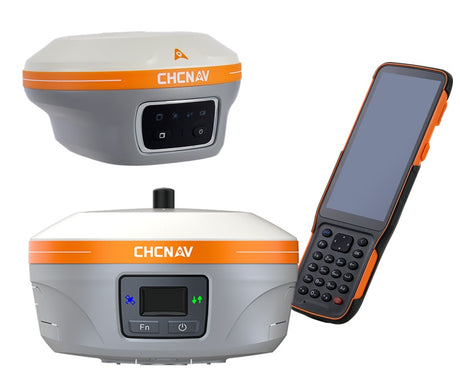
A comparable RTK rover bundle — receiver, controller, software, base station — typically costs significantly less from CHCNAV than the equivalent Trimble or Leica package, with the actual gap depending on configuration and what software modules are bundled. The accuracy specifications are equivalent at the survey-grade tier. The differences are mostly in software ecosystem, brand recognition, and how locked-in the workflow is. For a small-to-mid-sized survey or construction outfit that doesn't have existing Trimble or Leica infrastructure to integrate with, the cost savings are meaningful.
Can a CHCNAV rover work with a Trimble base station and vice versa?
Yes. As long as both receivers speak RTCM 3 (which all modern survey-grade receivers do) and there is a compatible transport — UHF radio with matching channel and protocol, or NTRIP — they will pair without issue. We've tested CHCNAV rovers against Trimble R10, Leica GS18, and Topcon HiPer bases without problems. The key is making sure the radio protocol matches if you're using UHF, since Trimble's TRIMTALK 450S and Pacific Crest's protocol are not bit-compatible.
Do I need a separate base station, or is RTK from CORS networks enough?
For work within Canadian CORS network coverage and where cellular is reliable, NTRIP from CORS is usually enough and is the simplest setup. But you need a base station if you work outside CORS coverage (much of northern Canada, remote ROW work, mining sites), or in cellular dead zones, or on projects that require a project-specific control point as the base reference. Most crews who do varied work end up owning at least one base station for redundancy.
How long should a GNSS receiver last before needing replacement?
Five to seven years is typical for a well-built survey-grade receiver with reasonable care. The hardware itself often lasts longer; what triggers replacement is usually new GNSS signals or correction services that older hardware cannot decode, or software-platform changes that drop support for the older controller. Buying a receiver that's firmware-upgradeable for new signals significantly extends useful life.
Is tilt compensation accurate enough for survey-grade work?
Modern IMU-aided RTK (such as in the CHCNAV i85, Trimble R12i, or Leica GS18 T) achieves stated accuracy of around 2 cm at 30° tilt and 5 cm at 60° tilt under normal conditions. For high-precision deformation monitoring or structural work, a levelled pole still produces the cleanest result. For boundary, topo, construction, and as-built work, tilt compensation is genuinely accurate enough — and the productivity gain is substantial.
What's the difference between RTK and PPP?
RTK (Real-Time Kinematic) uses corrections from a nearby base station or CORS network, typically within 30 km, to deliver centimetre accuracy in real time. PPP (Precise Point Positioning) uses globally-broadcast satellite orbit and clock corrections and doesn't need a local base. Traditional standalone PPP takes 20 to 30 minutes to converge to centimetre accuracy, but modern commercial PPP-RTK services — Trimble RTX, CHCNAV PointSky, Leica SmartLink, NovAtel TerraStar — converge in 1 to 5 minutes, and in some regions much faster. RTK is still the standard for production survey work; PPP and PPP-RTK become attractive when you're far from any base station or CORS network, like in northern Canada or offshore, or when you want to skip the cost and logistics of setting up a base.
What should I budget for training and setup?
Budget at least two days of crew time for initial training plus a quiet week of practice on a low-stakes project before pushing the new gear onto high-value work. Reputable dealers include basic training in the purchase price; advanced workflows (machine control integration, custom coordinate systems, automated reporting) may be billed separately. Don't skip refresher training when major firmware or software updates land — workflows change.
Can I use my existing total station controllers with a new GNSS receiver?
Sometimes, but usually not without compromise. Field controllers are typically tied to a specific software ecosystem — Trimble TSC7 with Trimble Access, Leica CS20 with Leica Captivate, CHCNAV LT800 or HCE620 with LandStar. Cross-vendor pairing is technically possible via Bluetooth and generic NMEA / RTCM streams, but you lose the integrated workflow. Best practice is to use the controller designed for your GNSS receiver and accept that you may need two controllers if you also run an older total station.
Will my new GNSS controller and software work with total stations from other brands?
This is one to ask explicitly before you buy — some vendors lock their controller software to their own total stations only, others are open about it. CHCNAV LandStar 8 connects to manual and robotic total stations from Leica, Topcon, Geomax, and others over Bluetooth, so the same controller you use for GNSS RTK can also run your existing total station instead of forcing you to buy a second controller. If you own a mixed-brand instrument fleet — common in survey shops that have grown over a decade or two — this matters a lot. Confirm the specific total station model is supported before committing.
Closing thoughts
A GNSS receiver purchase is one of the more consequential equipment decisions a small survey, construction, or geomatics business makes. The marketing materials from every vendor look more or less the same — the same accuracy claims, the same satellite logos, the same photos of crews in high-visibility vests. The differences that matter show up later, in the recurring costs, in how the software handles a Tuesday-morning data export to a client, in how long the receiver takes to come back from repair.
The work of buying well is mostly the work of asking the right questions before you sign anything: what does the price actually include, what costs extra later, what does the local support look like, how does the software handle the workflows you actually run. The vendors that answer those questions clearly are usually the vendors you can build a long-term relationship with.

Looking at GNSS RTK options for your business?
Latnet Technologies is the authorized CHCNAV dealer in Canada. We're happy to walk through your specific application, lend a demo unit for field testing, and put together a real cost comparison before you commit to a purchase.
Talk to a GNSS specialistLatnet Technologies Ltd. is an authorized dealer of CHC Navigation (CHCNAV) products in Canada. The criteria, comparisons, and recommendations in this article reflect our experience installing and supporting GNSS equipment for Canadian customers across surveying, construction, agriculture, forestry, and mining. We're happy to make introductions to customers using the equipment in your industry if that would help your evaluation.
CHCNAV®, LandStar®, PointSky™, iStar™, and DistLink™ are trademarks of Shanghai Huace Navigation Technology Ltd. Trimble®, Trimble Access®, TSC7®, R10®, R12i®, CMR+®, CMRx®, and RTX® are trademarks of Trimble Inc. Leica®, Leica Captivate®, GS18®, CS20®, and SmartNet® are trademarks of Leica Geosystems AG (Hexagon AB). Topcon® and HiPer® are trademarks of Topcon Positioning Systems. NovAtel® and TerraStar® are trademarks of NovAtel Inc. (Hexagon AB). Septentrio® is a trademark of Septentrio NV. Hemisphere GNSS® and Atlas® are trademarks of Hemisphere GNSS Inc. Stonex® is a trademark of Stonex Srl. Emlid® is a trademark of Emlid Tech Kft. Geomax® is a trademark of GeoMax AG. Carlson® and SurvCE® are trademarks of Carlson Software Inc. Esri® and ArcGIS® are trademarks of Environmental Systems Research Institute. Cansel® and CanNet® are trademarks of Cansel Survey Equipment Inc. Android™ and Google Drive™ are trademarks of Google LLC. References to third-party products are for interoperability and informational purposes only and do not imply affiliation or endorsement.